Soundbar vs Bookshelf Speakers for Your TV: How to Build a 2.0 System That Replaces the Soundbar

Affiliate links: as an Amazon Associate, CozyHiFi earns from qualifying purchases, at no extra cost to you.
You have just bought a new TV and everyone tells you to get a soundbar. It is the easy option, but not always the best one. Soundbar vs bookshelf speakers: which should you choose? If you also listen to music in your living room, a pair of compact speakers either side of the screen can give you clearer dialogue, a wider soundstage and far better music playback, in almost the same footprint.
In this guide we look at when a 2.0 system instead of a soundbar really makes sense, how to connect it to your TV without losing the convenience of a single remote, and three practical setups, from the simplest to the most audiophile.
Contents
Soundbar vs speakers: the differences that really matter
Dialogue and films
A soundbar is designed for TV: it is compact, often has a dedicated “voice” mode and simulates surround by bouncing sound off the walls. The limit is physical: small drivers squeezed into a single bar keep the soundstage narrow and centred. Two speakers placed a metre and a half apart create a genuine stereo image, with voices anchored to the screen and effects spreading beyond the edges of the TV.
Music
This is where the gap is widest. A mid-range soundbar still sounds like a TV when you play an album. Even an affordable pair of bookshelf speakers delivers natural timbre, tighter bass and the feeling that the instruments are in the room. If you stream music at least as much as you watch films, a 2.0 system wins hands down (more on that in our guide to Hi-Res streaming).
Space and looks
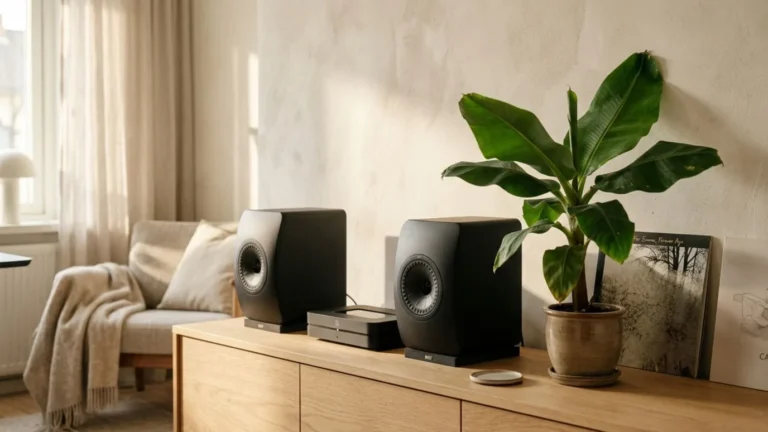
Yes, a soundbar disappears under the TV. But two compact speakers either side of the TV unit take up only a few centimetres of depth and, with the cables hidden, they add character to the room rather than clutter. In a small living room it is more a matter of taste than of space.
How to connect speakers to your TV
HDMI ARC: the port that changes everything
The ideal connection is HDMI ARC (or eARC, its newer version). With a single HDMI cable the TV sends its audio to your system and, thanks to CEC, you control the volume with your TV remote, just as you would with a soundbar. Switch the TV on and the speakers wake up too.
Optical: plan B
If your speakers or streamer have no HDMI, the TV’s optical output (Toslink) works perfectly well. Sound quality is identical for a stereo system, but you usually lose volume control from the TV remote. In our guide to Hi-Fi cables and connections we explain why you do not need to spend a fortune on these leads.
A practical tip: in your TV’s sound settings, set the digital output to PCM (or “Stereo”). A 2.0 system works in stereo, and this avoids silence or glitches with Dolby Digital content.
Three 2.0 setups to replace your soundbar
1. Powered speakers with built-in HDMI ARC: the simplest
These active speakers have everything built in: HDMI ARC, optical, Bluetooth and often a phono input for a turntable. One cable to the TV, one plug in the wall and you are done.
- Triangle Borea BR04 Connect: French elegance, an open and detailed sound, ideal on a low TV unit.
- KEF LSX II: very compact, with built-in Wi-Fi streaming (AirPlay 2, Chromecast, Tidal Connect), a refined sound and a subwoofer output if you ever want more impact for films. KEF LSX II (available on Amazon)
2. WiiM Ultra streamer with powered speakers: the most versatile
If you already own powered speakers without HDMI, or want to choose them freely, the WiiM Ultra becomes your control centre: it takes the TV sound via HDMI ARC, handles streaming (Spotify Connect, Tidal Connect, AirPlay) and has a dedicated subwoofer output. We often pair it with affordable speakers such as the Edifier R1280T (available on Amazon), the same foundation as our Hi-Fi setup under €500.
- To compare it with the other models, read our ultimate WiiM buying guide.
3. WiiM Amp with passive bookshelf speakers: the most Hi-Fi
A small smart amplifier with HDMI ARC that drives a pair of passive speakers. It is the size of a hardback book, hides in the TV unit and opens the door to higher-quality speakers. We compared the best pairings in our Hi-Fi setup under 1000 euros (active vs passive).
Comparison table: soundbar vs 2.0 system
| Aspect | Soundbar | 2.0 system (bookshelf speakers) |
|---|---|---|
| Dialogue | Good, with voice mode | Very clear and well centred |
| Music | Adequate | Clearly superior |
| Surround effect | Virtual | Wide stereo, surround only with add-ons |
| Footprint | Minimal | Two compact speakers either side |
| Volume from TV remote | Yes (HDMI ARC) | Yes, with HDMI ARC |
| Upgradability | None | Upgrade one component at a time |
How to fit it into your TV unit with no visible cables
- Position: place the speakers either side of the screen, tweeters at ear height and a few centimetres away from the wall. All the rules are in our guide on where to position Hi-Fi speakers.
- Cables: run the HDMI and power leads behind the unit with an adhesive cable channel, and use cables of the right length, with no coiled-up excess.
- Late at night: with the neighbours asleep, turn the volume down and switch on loudness so bass and voices stay full. We explain how in our guide to listening at low volume.
The CozyHiFi verdict: soundbar or speakers?
- Choose a soundbar if you mostly watch TV, want a single box and care about an immersive film effect. If you are already in the Sonos world, read our Sonos ecosystem guide.
- Choose powered speakers with HDMI ARC if you want maximum simplicity and true Hi-Fi sound from a single cable.
- Choose the WiiM Ultra with powered speakers if you want the versatility of a full streamer and the freedom to change speakers later.
- Choose the WiiM Amp with passive speakers if music is your priority and you want a system that grows with you.
Whichever you pick, a 2.0 system turns your TV unit into a cosy listening corner: engaging films in the evening, great music the rest of the time.