Digital music and high-resolution (Hi-Res) streaming: the practical guide for beginners
A simple and accessible guide to digital music and high-resolution streaming: discover how to switch from Bluetooth to Wi-Fi, the difference between formats, and how to configure your audio chain.
Digital music and high-resolution (Hi-Res) streaming: the practical guide for beginners
Until a few years ago, listening to music in high fidelity meant only one thing: filling a room with vinyl records or CDs, sitting in front of a dedicated player, and handling physical media. Today, the vast majority of music lovers enjoy their collections via smartphone or computer. Welcome to the era of digital music.
Unfortunately, the convenience of streaming has brought with it a massive dose of technical confusion. Acronyms like Hi-Res, Lossless, bit rate, DAC, or transmission protocols risk scaring away anyone who simply wants to enjoy their favourite songs with excellent sound quality. This guide is designed to clear up the confusion, cutting through the jargon and explaining in a practical way how to transform your daily streaming into an exceptional listening experience.
Beyond Bluetooth: why Wi-Fi changes everything
The first very common mistake is thinking that simply connecting your phone to your speakers via Bluetooth is enough for high-quality listening. Bluetooth is an extraordinary technology for mobility, but it has a structural limit: to transmit sound through the air, it must heavily compress the audio file, cutting away a significant portion of detail, nuance, and dynamics.
True high-fidelity digital music, on the other hand, travels over your home Wi-Fi network. By using Wi-Fi, the bandwidth is infinitely wider: music files pass from your smartphone (or directly from the internet) to your audio system without undergoing any destructive compression. The result? A more open sound, better-separated instruments, and a distinct sense of realism.
Lossless vs Hi-Res: understanding formats without losing your mind
When you open a music streaming application (such as Tidal, Qobuz, Apple Music, or Amazon Music), you will often come across two labels:
- Lossless: This means the audio file has the exact same quality as the original CD (16-bit / 44.1 kHz). There is no sound degradation compared to the studio master.
- Hi-Res (High Resolution): This goes beyond CD quality, reaching 24-bit files with higher sampling rates (up to 192 kHz). They contain even more information and micro-details, ideal for relaxed and attentive listening sessions.
Streaming platforms like Spotify only use highly compressed formats in their free tier, whereas high-quality, lossless options are restricted to premium paid subscriptions. Meanwhile, most of its competitors now include Lossless or Hi-Res catalogues in their standard base plans. But how do we bring this quality all the way to our ears?
What you need to get started: the smart audio chain
To play high-resolution digital music, you only need a few targeted components. Your digital source does not have to cost a fortune; the important thing is that it is designed for network audio.
The dedicated network streamer
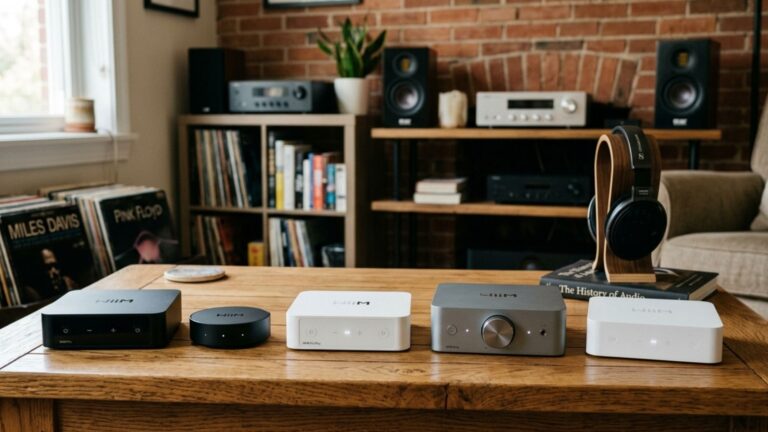
A streamer (or network player) is the component that connects to your Wi-Fi and pulls music directly from the internet, sending it to your audio system. If you already have an older amplifier or active speakers and want to transform them into a modern, ultra-high-resolution hub, adding an affordable yet highly sophisticated streamer is your best move. To see which model best fits your needs, you can check out our WiiM devices comparison guide.
Integrated ecosystems and Multiroom
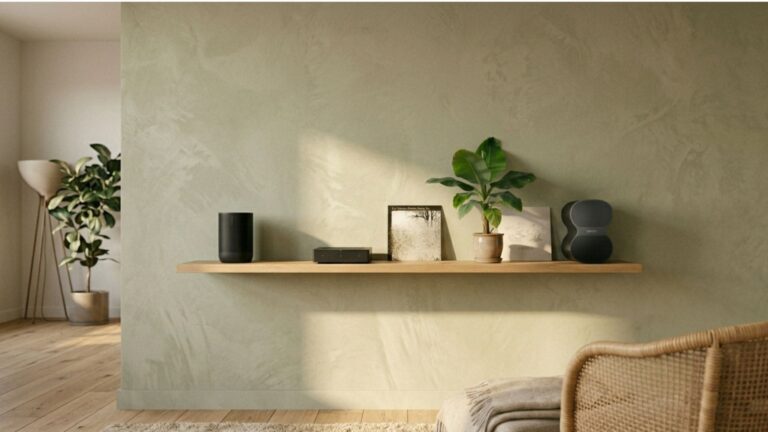
If you prefer a wireless audio solution around the house that blends seamlessly with your decor, the alternative is to opt for a native ecosystem. Heritage brands in the industry have created entire architectures that combine ease of use with multi-room network playback, a topic we have analysed in depth in our guide to the Sonos ecosystem.
Configuring your budget and environment for streaming
One of the greatest advantages of digital music is scalability: you can start with an essential system and let it grow over time.
If you are taking your first steps and want to understand how to combine a smart digital source with excellent quality speakers while staying under an accessible spending threshold, we recommend starting with our selections for a Hi-Fi setup under 500 euros. On the other hand, if you have the opportunity to invest a bit more and want to explore the crossroads between the convenience of active speakers with an integrated streamer and the charm of a passive system with a separate amplifier, you can find a detailed comparison in our report on the Hi-Fi setup under 1000 euros.
Finally, remember that regardless of the file format (whether it is an MP3 or a heavy Hi-Res file), the final output will always depend on how the sound waves interact with the space around you. Before carrying out any listening tests, make sure you have followed the fundamental geometric rules we outlined in our guide on where to position Hi-Fi speakers.
A quick practical test for tonight
If you already have a subscription to a platform that supports high resolution, try this quick experiment:
- Choose a track you know inside out, rich in acoustic instruments (like a jazz piece or an acoustic rock song).
- Listen to it first by connecting your smartphone to your speakers via Bluetooth.
- Next, play the exact same track by transmitting it via Wi-Fi (using AirPlay, Chromecast, or the native application of your streamer, such as Tidal Connect or Spotify Connect).
Pay close attention to the natural crispness of the drum cymbals, the decay of the piano notes, and the depth of the virtual soundstage. You will immediately notice that the veil of compression vanishes, leaving room for a much more airy, relaxing, and faithful listen that respects the artist’s original intention.